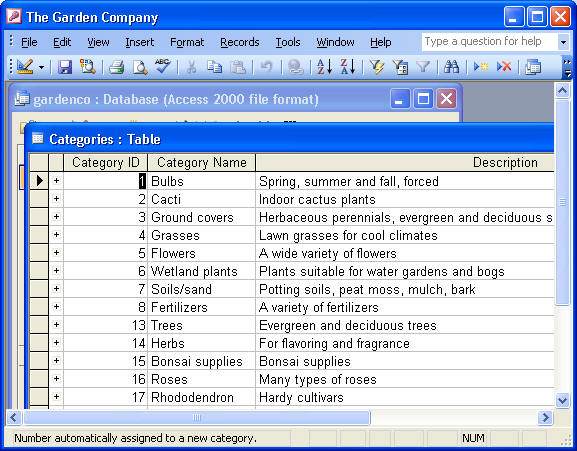
Click on the Categories Table
- Datasheet view
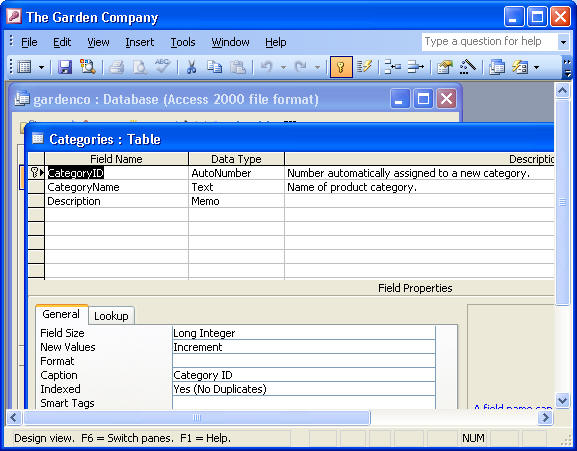
- Design view
- Subdatasheet
Click on the Categories Table
- Finding Records
- Filtering Records
1. Filter For
2. Filter by Selection
- Sorting Records
ISP 121
Getting to Know Access
1. Opening Existing Databases
2. Objects we'll learn
3. Exploring Tables - Used to hold your data.
Click on the Categories Table
- Datasheet view
- Design view
- Subdatasheet
Click on the Categories Table
- Finding Records
- Filtering Records
1. Filter For
2. Filter by Selection
- Sorting Records
4. Exploring Queries - Used to locate information so that you can view, change or analyze it in various ways.
Click on the Sales by Category Query
- Run a Query (equivalent to asking a question)
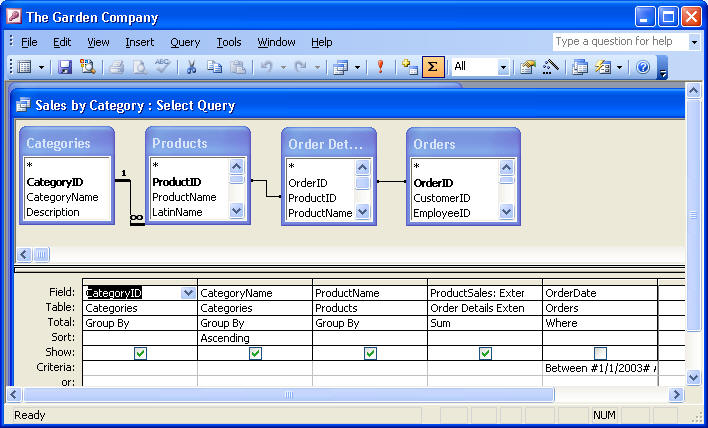
- Typical Query
- Query Wizard
5. Exploring Forms - Used when your database will be viewed and edited by people who don't know much about Access. You can design forms to guide users through your database, making it easier for them to enter, retrieve, display and print information.
Click on Customer Form
- Form View (where you enter data)
- Datasheet View (looks essentially like a table)
- Design View (where you work with the elements of the form to refine the way it looks and works)
6. Exploring Reports - used to display the information from you tables in nicely formatted, easily accessible ways, either on your computer screen or on paper.
Click on Sales by Category Report
- Design view - you can manipulate the design of a report (similar to forms)
- Print Preview - you can see your report exactly as it will look when printed
- Layout Preview - shows how elements will look without all the details of Print Preview